Built for Classrooms,
Homeschools, and Co-ops
Vet entire classroom libraries in minutes. Screen reading lists before assigning them. Ensure every book matches your educational standards.
How Educators Use Shelf Checkout
Real scenarios from teachers and homeschool parents
Classroom Library Vetting
Scan your entire classroom library over summer break. Flag books that don't align with district standards or parent expectations.
Reading List Screening
Planning a unit? Scan potential titles before adding them to your curriculum. Know what's inside before assigning.
Homeschool Curriculum Planning
Build a reading list that matches your family's values without spending hours researching every book.
Co-op Coordination
Homeschool co-ops can vet shared libraries and ensure all families are comfortable with available titles.
Independent Reading Programs
Give students choice within boundaries. Pre-approve a list of titles they can choose from freely.
Per-Student Recommendations
Different maturity levels in one classroom? Set preferences for different reading groups.
Batch Scanning for Efficiency
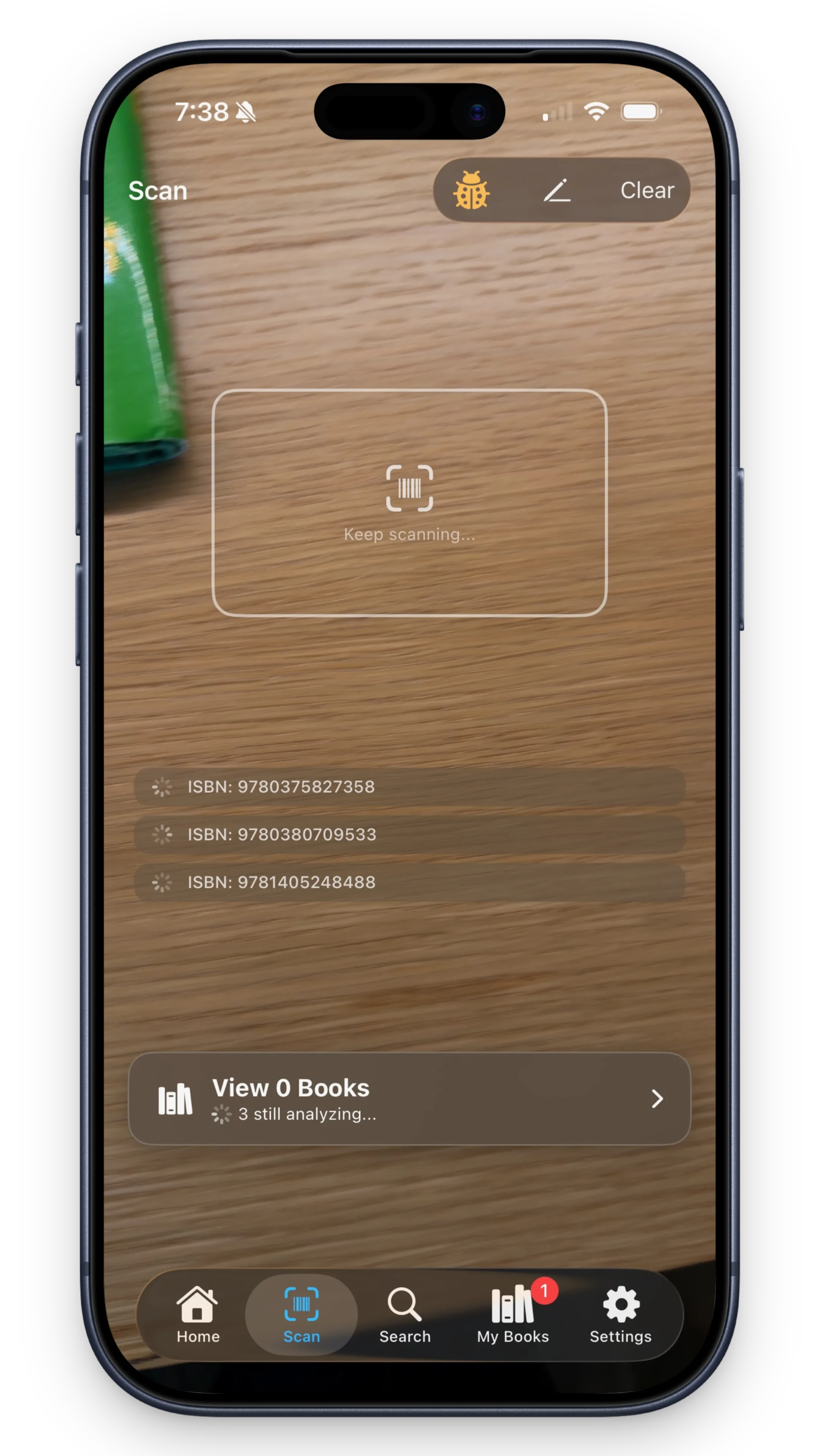
Scan 50, 100, even 200 books in a single session. The app queues them all, analyzes in the background, and delivers results in minutes.
Perfect for summer library prep: Scan your entire classroom collection, flag anything concerning, and start the school year with confidence.
Speed: 3-5 seconds per book. A 100-book library takes ~5-8 minutes to scan and analyze.
Curriculum & Standards Alignment
Set thresholds that match your educational context
Public School Teachers
Balance district content policies with educational value. Flag books that might trigger parent concerns or violate content guidelines.
Example: Set moderate thresholds for violence/language, stricter thresholds for sexual content.
Homeschool Families
Customize flags to match your family's values and educational philosophy. You have complete control. No committee approval needed.
Example: Conservative flags for younger kids, relaxed flags for high schoolers tackling complex themes.
Faith-Based Schools
Align book selections with religious values while exposing students to quality literature. Flag content that conflicts with your faith tradition.
Example: Flag occult/supernatural themes, prioritize books with positive moral themes.
Different Students, Different Standards
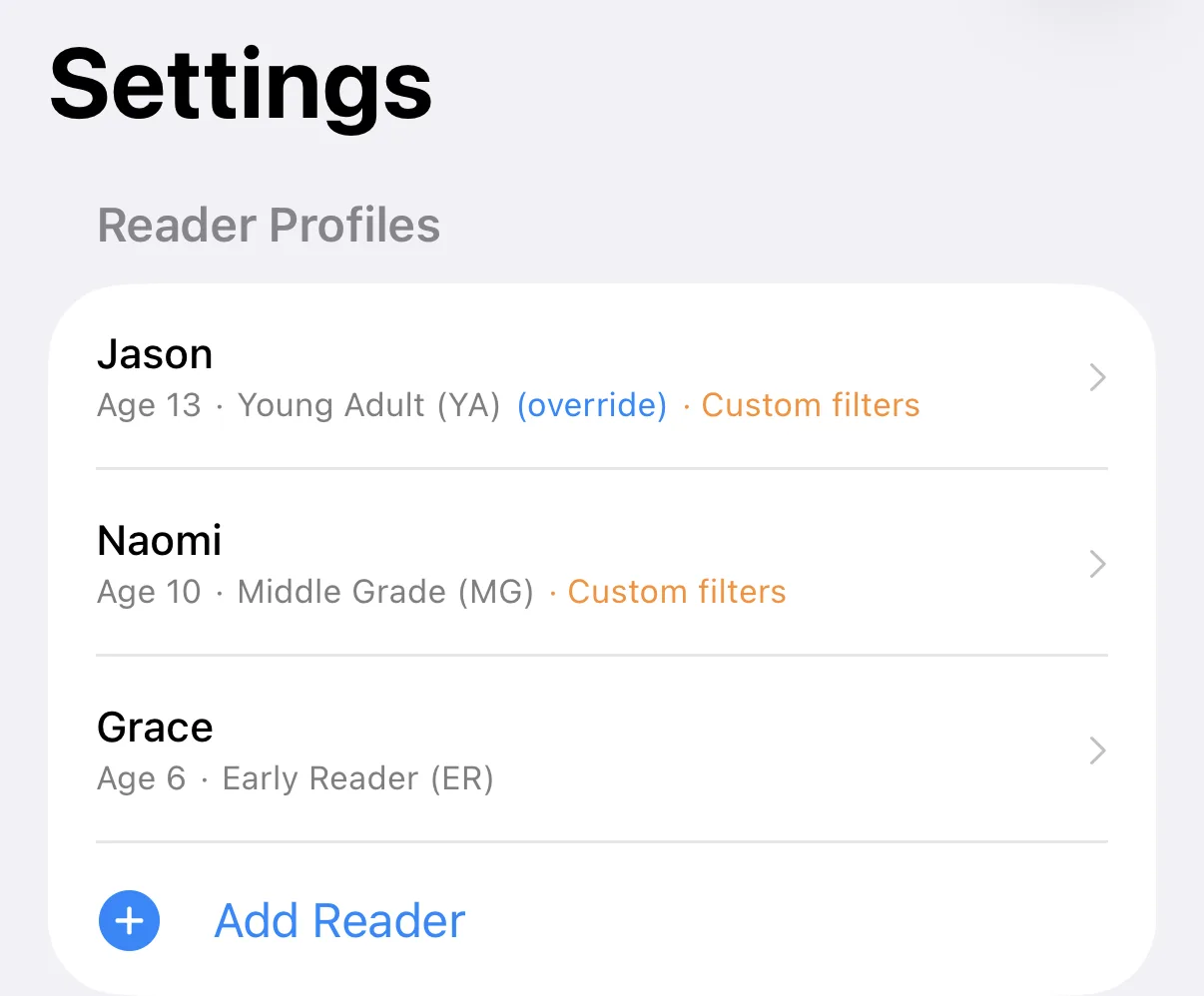
Create profiles for different reading groups or grade levels. The same book gets different verdicts depending on the student.
Example: Your 4th grade class has readers ranging from 2nd to 6th grade level. Set three profiles: "Emerging Readers," "Grade-Level," and "Advanced." Each gets custom verdicts.
Discussion Guide Generation
In a future update, we'll generate discussion questions based on themes in each book. Turn every read into a teachable moment.
Interested in beta testing this feature? Let us know when you sign up.
What's Included
Same great tool, whether you're a parent or a teacher
- ✓ Unlimited book scans
- ✓ 25 customizable content flags
Educator features planned in an upcoming release.
Help Shape Educator Features
Interested in beta testing educator-specific tools, or have ideas for what would help in your classroom? We'd love to hear from you.
Download Shelf Checkout
Available now on iPhone. Android coming soon.
On Android? Sign up and we'll let you know when it's ready.