The Shelf Checkout App
Scan a supported barcode or use intelligent search by title to see the app's intelligent analysis before your reader starts a book. The analysis covers 25 categories and uses the sensitivity settings in each reader profile.

Store availability and current listing details are linked below.
How It Works
From a barcode scan or intelligent search to a reader specific content breakdown
1. Scan or use intelligent search
Point your camera at the barcode. If a barcode is unavailable, use intelligent search by title. Batch scan a whole stack at the library.
2. Intelligent Analysis
The analysis covers 25 content categories, including violence, language, romance, substance use, and dark themes, each at a specific intensity level.
3. A verdict for your reader
Set each reader's sensitivities once. Every scan comes back green, yellow, or red for that specific kid, with the reasons underneath.
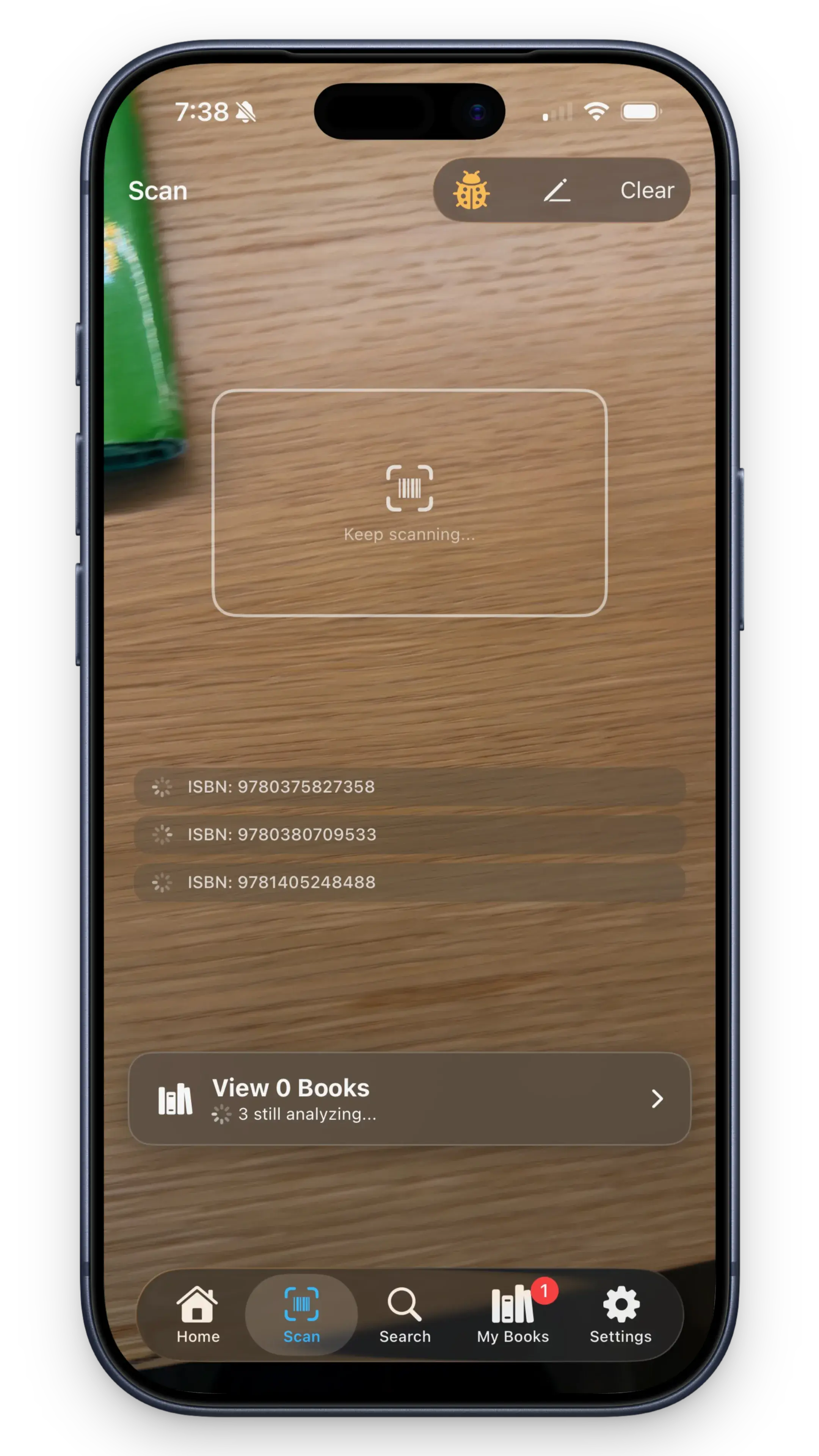


These first party screenshots show the scan, content flag settings, and correction feedback views described on this page.
What You Get
Built for the library aisle, the bookstore, and the school reading list
25 Content Flags
Violence, language, romance, and 22 more categories. You control the thresholds for each one.
Per-Reader Verdicts
The same title can produce different results when reader profiles have different sensitivity settings.
Results in the App
Review the category findings and the reasons behind a reader specific result.
Barcode and Intelligent Search
Scan a supported ISBN barcode or use intelligent search by title.
Personal Bookshelves
Keep a shelf of what you've scanned, what's approved, and what to revisit later.
Read-Alike Suggestions
Discover similar books that match your reader's preferences.
Built for the Books Your Reader Brings Home
Your kid hands you a book at the library. The school list arrives with twelve titles you've never heard of. A later volume introduces content categories that were not present in the first book. Those are the moments Shelf Checkout was built for.
Review sites only cover the most popular titles, and books have no official age ratings. Shelf Checkout supports barcode scanning and intelligent search, and instead of a one-size rating it uses the sensitivity settings in each reader profile. See how parents use it at the library and bookstore, or how it fits a reader specific book content question
Want to compare first? See how Shelf Checkout compares to Common Sense Media and other resources.
App Questions
Is the app free?
Shelf Checkout is free to download from the App Store and Google Play. You can try Premium and cancel at any time.
Is it on Android?
Yes. Download for iPhone on the App Store or for Android on Google Play.
How does it analyze books?
Scan a barcode or use intelligent search by title, and the app runs intelligent analysis across 25 categories, reporting what is present and at what intensity. Curious what that looks like? Try the book content checker walkthrough.
Does it give books an age rating?
No. Books have no official rating system, and readers of the same age differ. Shelf Checkout describes what is actually in a book and gives a verdict personalized to your reader's sensitivity settings. That nuance is the whole point.
Download Shelf Checkout
Free on iPhone and Android. Scan a book and see what's inside.